A birthday invitation text for WhatsApp has to do something tricky: feel personal in a medium where everyone gets the same message. The key is picking the right sample for the right occasion: a first birthday message reads completely differently from a 50th milestone, and a surprise party message needs to handle the logistics without spoiling the surprise. Here are eight ready-to-use birthday invitation texts for Indian families.
Eight ready-to-use birthday invitation texts
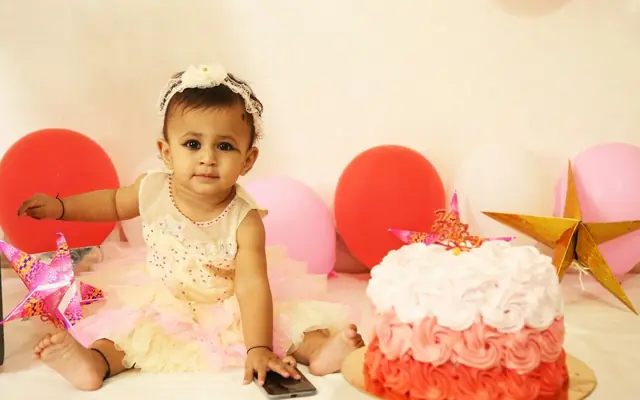
Sample 1. Child's first birthday
Baby [Name] is turning ONE! 🎂 Join us for a celebration of this beautiful milestone on [Date] at [Time] at [Venue]. Cake cutting at [Time], followed by dinner. Come make memories with us! With love, [Parents' Names]
Sample 2. Adult milestone (25th/30th)
[Name] is turning [Age] and we're celebrating in style! Join us for a birthday bash on [Date] at [Time] at [Venue]. Dinner and dancing to follow. Dress code: [Theme/Colour]. RSVP by [Date].
Sample 3. 50th/60th milestone (family tone)
Our beloved [Name] is celebrating a golden [50/60] years! 🌟 Please join us for a milestone birthday celebration on [Date] at [Time] at [Venue]. The evening will include a special programme honouring [him/her] followed by dinner. Your presence will make this evening truly memorable.
Sample 4. Surprise party
SURPRISE ALERT! 🤫 We're throwing [Name] a surprise birthday party on [Date] at [Time] at [Venue]. PLEASE do not mention this to [him/her]! Arrive by [Time] (15 minutes before the guest of honour). Tap the link for details. Mum's the word! 😄
Sample 5. Destination birthday
[Name] is celebrating [Age] in [City/Resort Name]! 🎉 Join us for a weekend birthday getaway on [Date–Date] at [Venue Name]. Please RSVP by [Date] so we can plan accommodation. Tap the link for the full itinerary and to confirm.
Sample 6. Simple home celebration
Joining us for [Name]'s birthday at home! 🎂 [Date] | [Time] | [Address]. Cake cutting at [Time], dinner to follow. Just family and close friends. See you there! With love, [Host's Name]
Sample 7. Child's themed party
[Name] is turning [Age] with a [Theme] party! 🦸 Join us for a fun-filled birthday celebration on [Date] at [Time] at [Venue]. Games, cake, and dinner to follow. Dress as your favourite [Theme character] if you'd like!
Sample 8. Group short message
Sharing [Name]'s birthday invite! 🎉 [Date] | [Time] | [Venue]. Tap the link for full details and directions.
How to write for a WhatsApp group vs an individual chat
In a group, your message competes with dozens of other notifications. Keep it to 3–4 lines: who, when, where, and the link. No need for elaborate preamble. In an individual chat, you have more latitude: add a personal note ("I really hope you can make it, [Name]" or "It won't be the same without you there"). For surprise parties, never send the message to a group that includes the birthday person. Create a separate group or use broadcast lists that exclude them. One practical tip for large Indian family groups: send the group message, then follow up with individual messages to VIP guests (grandparents, close friends, out-of-city family) with an extra personal note. The group message handles logistics; the individual message handles relationships.
How to send the invite link alongside the text
Create the digital birthday invitation on ShareInvite first, get the shareable link, and then compose your WhatsApp message. Paste the link on a new line after your message text. Do not embed it in the middle of the text, because WhatsApp generates a preview card from the link and it can break up your message in an awkward way. The link preview card will show the invitation image, title, and a description snippet, which does much of the work for you. When forwarding to a group, send the text message first, then the link as a follow-up. Some guests prefer the text message summary and only tap the link if they need directions.
Quick checklist
- Match the message tone to the occasion: playful for children, warm for milestones, formal for 50th/60th.
- Include the invite link on a separate line below the message text.
- For surprise parties, explicitly warn recipients not to tell the birthday person.
- Mention dress code or theme if guests need to prepare.
- Include the time of key moments (cake cutting, dinner) for guests who cannot stay the whole event.
- Send individual follow-ups to VIP guests after the group message.
- Send a reminder message the day before with just the time, venue, and link.
Frequently asked questions
For a group message, 3–5 lines is ideal. Include: who the party is for and the milestone, date and time, venue, one line about what's happening (cake cutting, dinner, theme), and the invitation link. Anything more gets skimmed in a busy group. For individual messages to close friends or family, 6–8 lines is fine because you can add personal notes that would feel odd in a group setting.
Both, in sequence. Send the group message first to cover everyone simultaneously. Then send individual messages to the guests who matter most: parents, grandparents, siblings, best friends, and out-of-town guests who need to plan travel. The individual message can be identical to the group message or personalised. The important thing is that these guests receive a direct invitation, not just a group notification, which signals that their presence specifically matters.